Secure Digital Documents.Verified at the Source.
Signatura helps issuers protect, issue, and verify official documents using Zero Trust Level 2 controls. Sensitive information remains encrypted while QR-based verification confirms authenticity directly from the issuer.

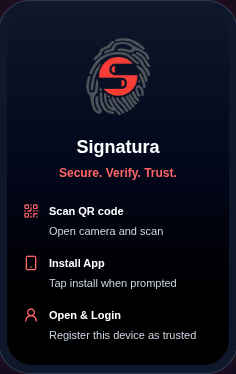
Scan to install Signatura on your phone.
The QR opens the dedicated install page at /app. The installed PWA starts directly on the login screen.
Install Signatura on your phone
Scan the QR code to install the PWA. It opens directly to the login page.
Zero Trust Level 2
Encrypted & Secure
Verified at the Source
- 1Scan QR
- 2Install App
- 3Open & Login
No App Store Required
Works on Android and iPhone
The Problem
Fake documents are easy to create. Verification is hard.
- Fake diplomas and certificates
- Manual verification takes days
- Screenshots and PDFs can be edited
- Issuers lose control after release
- Users need a trusted digital copy
The Signatura Solution
A secure verification layer between issuers, document owners, and verifiers.
- Issue digital documents
- Add QR verification
- Anchor hashes to private blockchain
- Store sensitive private fields as encrypted envelopes
- Allow third parties to verify authenticity
- Log important access and status changes
Security Built for Trust
Zero Trust Level 2 Design
Every user, device, and request must be verified. Access is limited by role, tenant, and approval status.
Encrypted Private Fields
Full name, email, phone number, and sensitive records are encrypted before database storage.
Trusted Device Approval
Important access, login, and verification actions require approval from a registered trusted device.
QR Verification
QR codes confirm authenticity, validity, expiry, and revocation directly from the issuer record.
For Issuers
Protect your reputation. Control every verified record.
For Users
Your documents. Your approval. Always trusted.
Signatura Zero Trust Level 2 Flow
Provider operates the system, but private data access requires encryption, owner consent, trusted-device approval, and audit logs.
Issuer creates document record
Sensitive fields are encrypted
Encryption key stays outside provider access
Hash is generated and anchored
QR code is attached to document
Verifier requests access
Owner approves using trusted device
Temporary access token is issued
Access is verified and audit logged
Zero Trust rule: No document or private field should be readable by the provider, database admin, or system admin without authorized owner approval.